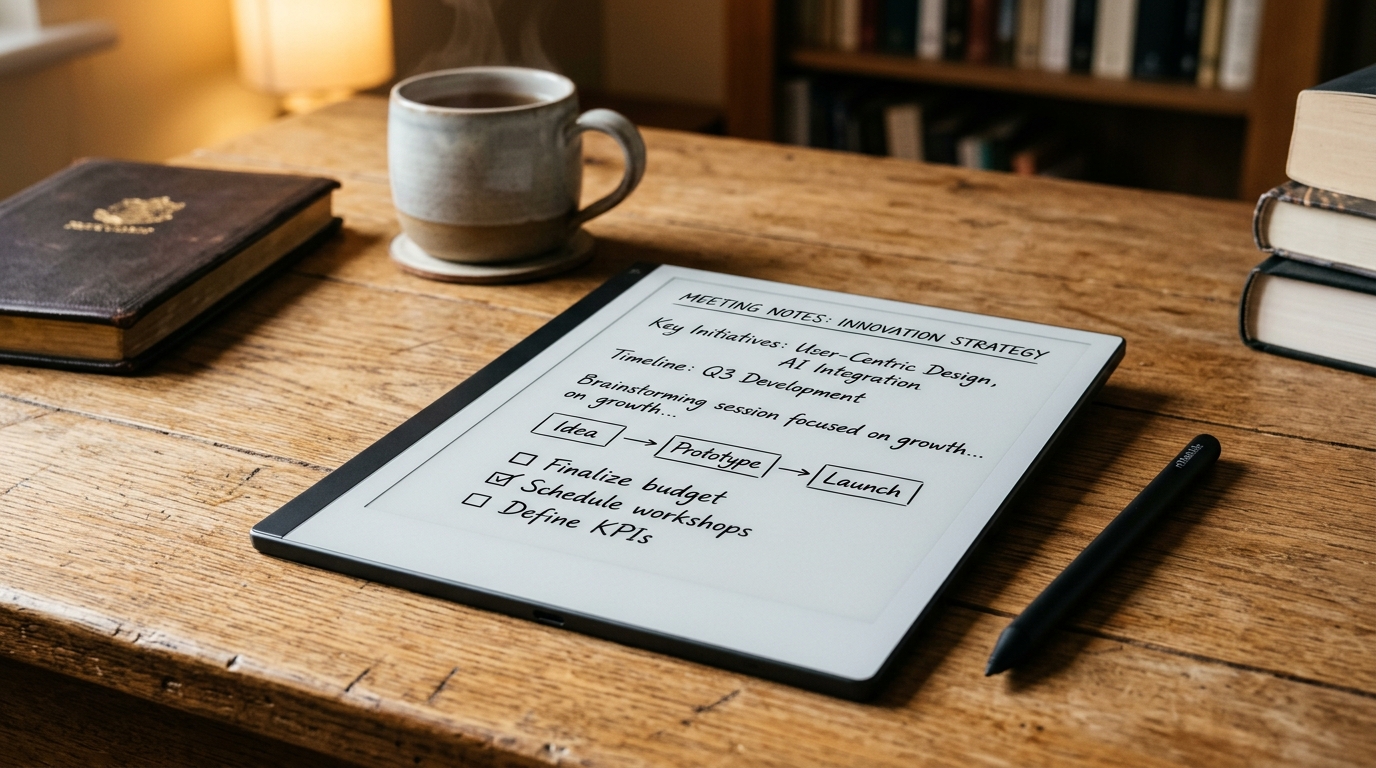
The Screen Fatigue Trap: Why Paper Still Matters
If your working week involves toggling between Slack messages, back-to-back Microsoft Teams calls, and endless browser tabs, you are likely intimately familiar with 3:00 PM digital exhaustion. Backlit OLED and LCD displays—whether on an iPad, MacBook, or smartphone—bombard your retinas with high-energy blue light and constant notification pings that shatter deep focus.
For decades, the antidote was a simple paper notebook. But paper comes with severe 21st-century limitations: handwritten notes cannot be searched, spiral pads accumulate in messy office drawers, and transferring action items from a client meeting into Jira or your calendar requires tedious manual transcription.
In 2026, AI-enhanced E-Ink digital paper tablets have evolved into the definitive bridge between analogue writing and modern digital workflows. By marrying glare-free electronic paper with on-device generative AI, handwriting recognition, and seamless cloud syncing, these devices let you think on paper without getting trapped in the analogue past.
What Makes a 2026 Digital Paper Tablet "AI-Powered"?
Early digital paper devices were little more than electronic sketchpads with basic PDF viewing. The current generation of smart E-Ink hardware incorporates machine learning at both the system and cloud level to solve the real frustrations of handwriting:
- Automatic Notebook Summarisation: After scribbling eight pages of scattered thoughts during a ninety-minute project debrief, you can tap a single button to generate structured bullet points, key takeaways, and clear action items—directly embedded into the notebook.
- Handwriting Refinement & Straightening: If your handwriting resembles hasty doctor's script when taking rapid meeting minutes, on-device machine learning models clean up rough pen strokes, regularise kerning, and align crooked lines into neat, legible script without losing your personal handwriting personality.
- "Ask Your Notebooks" Semantic Search: Instead of manually flipping through sixty virtual pages to remember what was agreed regarding the Q1 marketing budget, generative AI allows you to query your handwritten notebooks using natural language (e.g. "What were the three deliverables promised to Sarah?") and retrieve exact answers sourced directly from your notes.
- Smart Shapes & Active Canvas: Drawing flowcharts, tables, or mind maps is instantly polished. Holding the pen tip for half a second automatically snaps rough circles, boxes, and arrows into razor-sharp geometric vectors.
1. Best Overall Value & Zero-Subscription AI: Amazon Kindle Scribe
When Amazon first launched the Kindle Scribe, it was primarily an oversized e-reader with an attached notepad. The latest hardware iteration and software updates have transformed the Amazon Kindle Scribe on Amazon UK into the most well-rounded, cost-effective digital paper tablet on the British market.
The centerpiece is an exceptional 10.2-inch 300 ppi Paperwhite display. Because it is monochrome, contrast is noticeably sharper and text is crisper than on color e-ink alternatives. The screen features a finely textured micro-etched surface that introduces just enough tactile friction to replicate the physical sensation of a quality gel pen on high-grade bond paper.
Where the Kindle Scribe pulls decisively ahead for UK buyers is its zero-subscription approach to AI and cloud sync. Amazon's generative AI tools—including Notebook Summarisation, Handwriting Refinement, and Active Canvas—are fully included with the device purchase. Your notes sync effortlessly across the free Kindle smartphone and desktop apps without charging a £3–£5 monthly fee.
The bundled Premium Pen is battery-free (never needs charging or pairing), magnetically snaps firmly to the right chassis, and includes a dedicated shortcut button (customisable to highlight or switch pens) along with a soft-action top eraser that feels uncannily natural.
For professionals juggling Microsoft corporate environments, the Scribe also supports direct 'Send to Kindle' integration from Microsoft Word. You can export a document straight to your Scribe, mark up edits and annotations with the pen, and send the annotated document directly back to your team.
2. Best Hardware Craftsmanship & Pure Focus: reMarkable Paper Pro
If aesthetic design, aluminium chassis engineering, and an uncompromising dedication to distraction-free writing are your top priorities, the reMarkable Paper Pro (~£559 to £599 in the UK) is a stunning piece of hardware.
The Paper Pro introduces an expansive 11.8-inch Canvas Color display powered by sophisticated color e-paper technology. Unlike muddy color filters of the past, the Canvas Color panel renders pastel highlighters, red markup ink, and blueprint sketches with remarkable fidelity. It also finally incorporates an adjustable reading frontlight, fixing the major low-light limitation of the reMarkable 2.
However, British buyers need to weigh two critical factors before purchasing:
- Deliberate Lack of Generative AI: The Norwegian manufacturer prides itself on "thinking without interruption". As a philosophical choice, reMarkable has eschewed automated AI summarisation, chat assistants, and voice-to-text intelligence. It offers basic handwriting-to-typed-text conversion, but no automated synthesis.
- The 'Connect' Subscription Cost: While basic on-device notes work offline, unlimited cloud storage, automatic backup, and the ability to edit notes in the desktop and mobile apps require a reMarkable Connect subscription at £2.99 per month (roughly £36 per year after the trial period).
If you treat your notebook as an artisan sanctuary strictly for private journaling, sketching, and long-form manuscript drafting, the Paper Pro's tactile feel is unmatched. But for active professionals seeking an AI-assisted productivity multiplier, it can feel deliberately spartan.
3. Best Power-User Android Hybrid: Onyx BOOX Note Air Series
For readers who find Amazon's ecosystem too restrictive and reMarkable's feature set too minimalist, the Onyx BOOX Note Air series on Amazon UK offers an entirely different proposition: full Android versatility on an E-Ink canvas.
Ranging from roughly £399 (monochrome Note Air models) to £499 (Color models), the BOOX Note Air runs a customized build of Android with the official Google Play Store pre-installed. This means you can install Notion, Obsidian, Google Keep, Microsoft OneNote, Slack, or dedicated AI apps like Claude and ChatGPT directly onto your digital notepad.
BOOX's proprietary Smart Scribe engine includes local AI handwriting recognition, shape conversion, and instant handwriting erasure gestures. Because it connects directly to Google Drive, Dropbox, and OneDrive, it fits effortlessly into established corporate workflows without relying on a walled-garden cloud.
The trade-off is software complexity. Setting up the BOOX requires tweaking refresh modes, app DPI scaling, and pen refresh speeds to avoid ghosting. Battery life is also measured in several days rather than the multiple weeks delivered by the Kindle Scribe.
Side-by-Side Comparison: 2026's Top Digital Paper Tablets
| Model | Display & Lighting | AI Note Features | Subscription Fees | Battery Life | UK Price |
|---|---|---|---|---|---|
| Amazon Kindle Scribe Best Overall Value |
10.2" 300 ppi Paperwhite Warm Auto-Light |
Summarisation, Handwriting Refinement, Semantic Search | £0 / None (Free cloud sync) | Up to 12 weeks (reading) 3–4 weeks (writing) |
£329.99 |
| reMarkable Paper Pro Premium Art & Color |
11.8" Canvas Color Adjustable Frontlight |
Basic text conversion only (No generative AI) | £2.99 / month (reMarkable Connect) | Up to 2 weeks | £559–£599 |
| Onyx BOOX Note Air Android Power User |
10.3" E-Ink (Mono/Color) Dual CCT Frontlight |
Smart Scribe AI + Full Google Play AI apps | £0 / None (Open cloud sync) | 4 to 7 days | £399–£499 |
UK Buyer's Checklist: What to Verify Before You Buy
Key Practical Considerations for British Buyers
- Calculate the Total Cost of Ownership: A £559 device requiring a £2.99/month subscription will cost over £660 across three years of ownership. If you resent recurring software subscriptions, prioritize devices like the Kindle Scribe with lifetime cloud access included.
- Monochrome 300 ppi vs Color E-Ink: If your primary goal is reading ebooks, reviewing PDFs, and writing black-and-white notes, a 300 ppi monochrome screen offers crisper text and higher background contrast than color panels, which require slightly brighter ambient lighting.
- Stylus Replacement Costs: Check the price of replacement nibs. Kindle Scribe and reMarkable use textured felt/plastic tips that wear down after several months of vigorous writing. Premium replacement tips typically cost £10–£15 for a pack of five in the UK.
- Audio Note Synchronization: If you frequently attend hybrid lectures or client meetings where you need both audio recording and handwritten notes, consider pairing your digital notepad with a dedicated AI recorder like the Plaud Note AI Voice Recorder to capture verbatim transcripts alongside your sketches.
Final Verdict: Which AI Digital Paper Tablet Should You Buy?
Digital paper tablets have moved past the novelty phase. For knowledge workers, students, and avid readers overwhelmed by notification-heavy iPads and laptops, they represent a genuine sanctuary of calm, focused productivity.
For roughly 85% of UK professionals and students, the Amazon Kindle Scribe represents the sweetest spot on the market. Its combination of a class-leading 300 ppi glare-free display, robust generative AI summarisation and handwriting refinement tools, and zero subscription fees makes it a sound, future-proof investment.
If you demand color markup and consider Nordic minimalist design worth a steep premium, the reMarkable Paper Pro is a magnificent piece of luxury hardware—provided you accept its lack of generative AI and ongoing subscription fee.
And for technical users who need direct integration with Notion, Obsidian, or Google Workspace, the Onyx BOOX Note Air remains the undisputed champion of sheer software flexibility.
The Smartest Buy for 2026: Pick the Amazon Kindle Scribe with Premium Pen. It delivers the best balance of eye comfort, natural paper writing friction, practical AI note summarisation, and unbeatable long-term value without locking your thoughts behind a monthly paywall.
Product specifications, UK prices, and retail availability verified November 2026. Always confirm live seller pricing, delivery dates, and return policies on Amazon UK before purchasing.
Explore More Useful AI Gadgets
Browse our curated weekly directory of verified, practical AI hardware available to British buyers.
Browse the Full Catalog →